
The mileage tracker app that also logs hours.
Miles logged automatically, hours calculated from your visits. No hardware, no account.
See at a glance where you’ve been and how long you spent with each client, and decide for yourself what you export or share.


Nearly 20 years of experience — built and developed by the people behind TrackJack
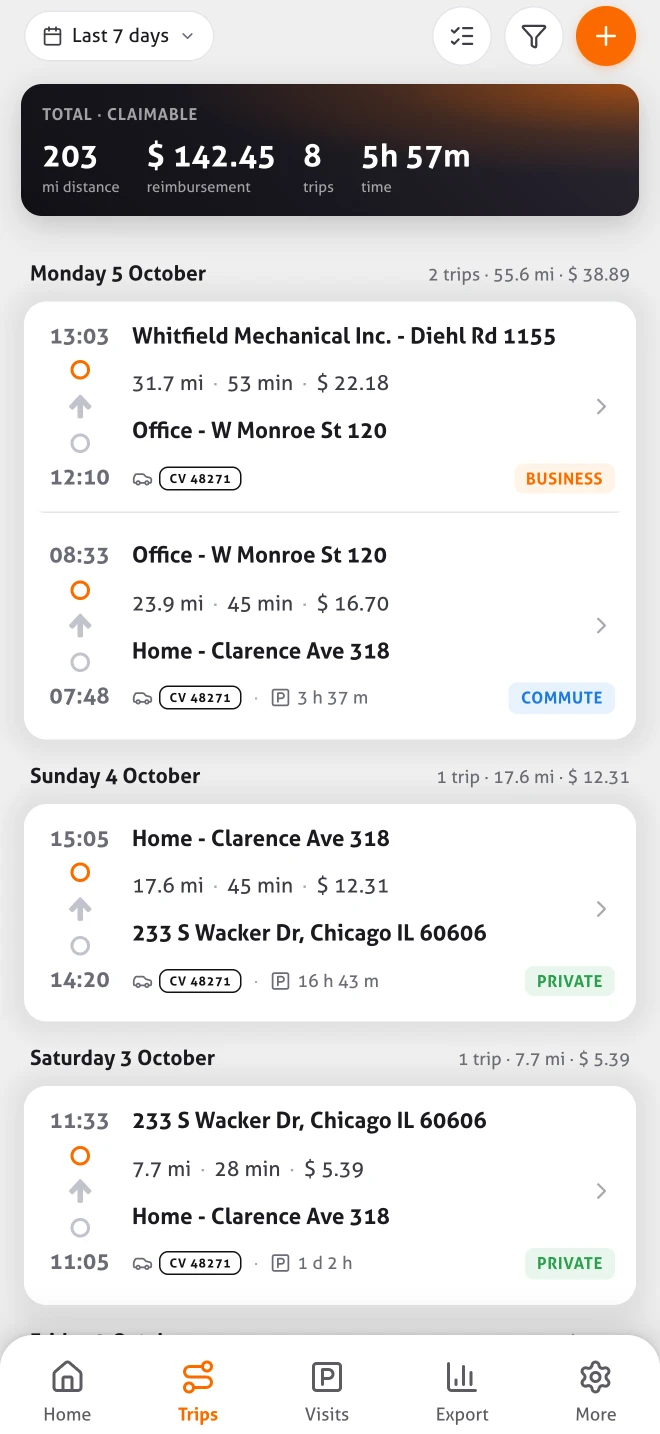
MoveJack keeps track of your trips automatically, from start to finish.
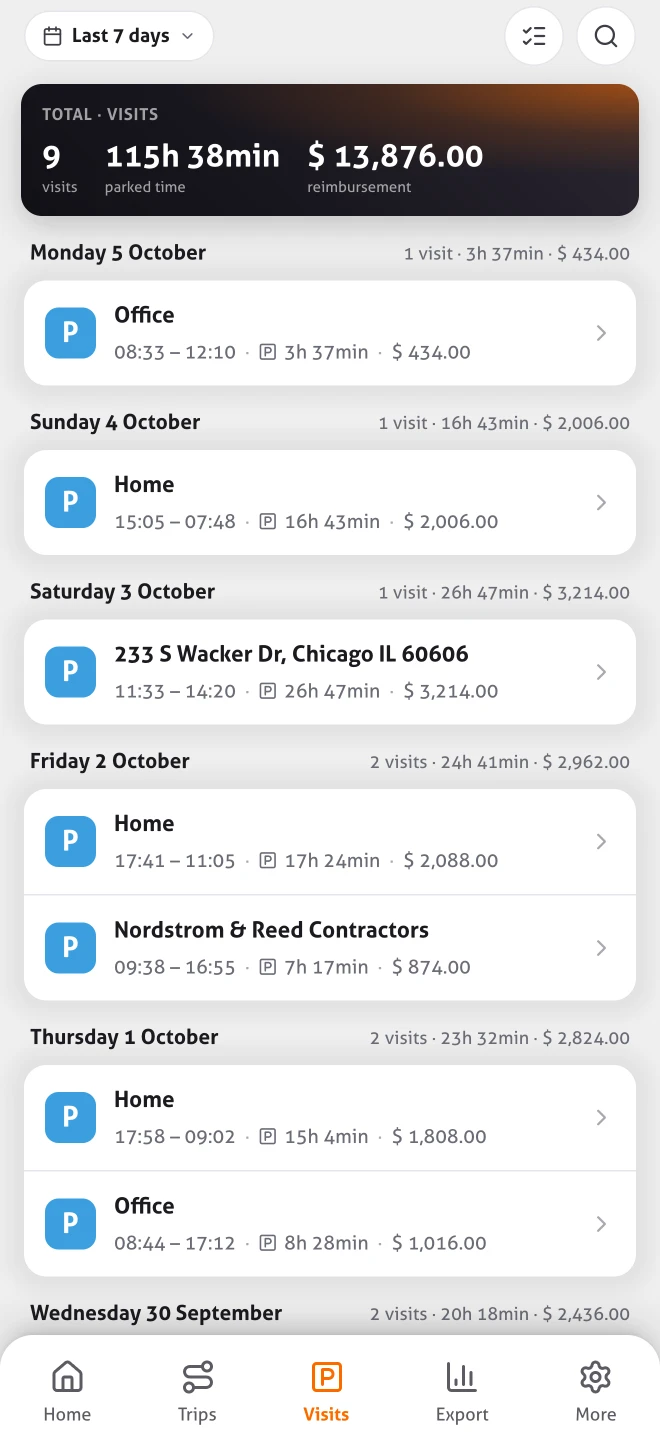
See how long you spent at a location or with a client.
Export your trips and hours in the format your accountant needs.
You stay in control of which data you export or share.
Your mileage log fills in while you drive. Not after.
Set it up once and MoveJack records the rest. Less typing, less forgetting, no rebuilding trips at month end.
Trips without a start button
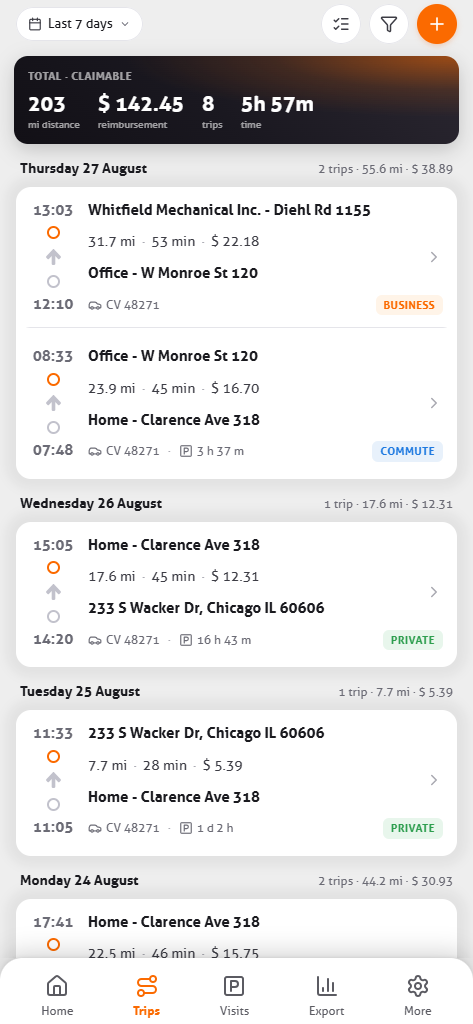
MoveJack notices when you set off and arrive. Time, addresses, miles and vehicle are in there before you think of it. How the mileage tracker works.
Your hours come from your visits
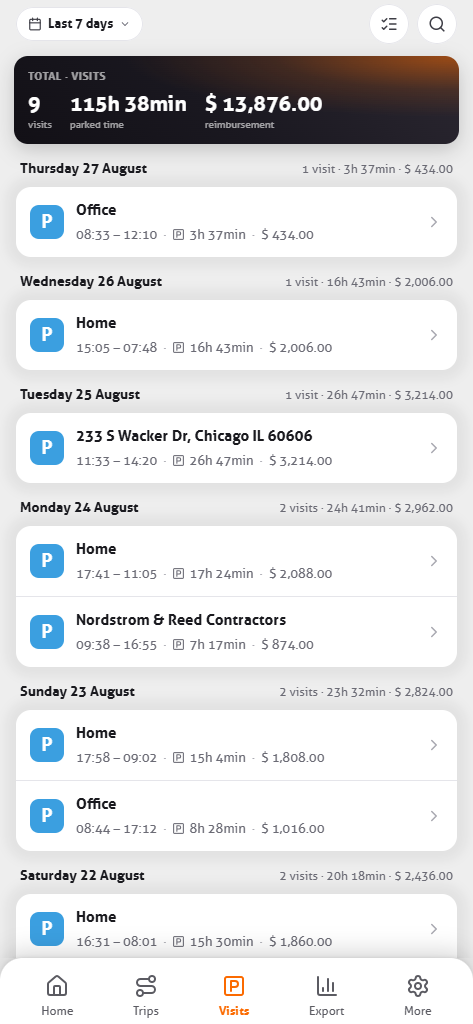
Arrival, departure and how long you were at an address are recorded by the app. Your timesheet fills in while you work.
Drive time and miles, per trip
How long you were on the road and how many miles you drove, per trip and per period. Without keeping notes.

A report in a few taps
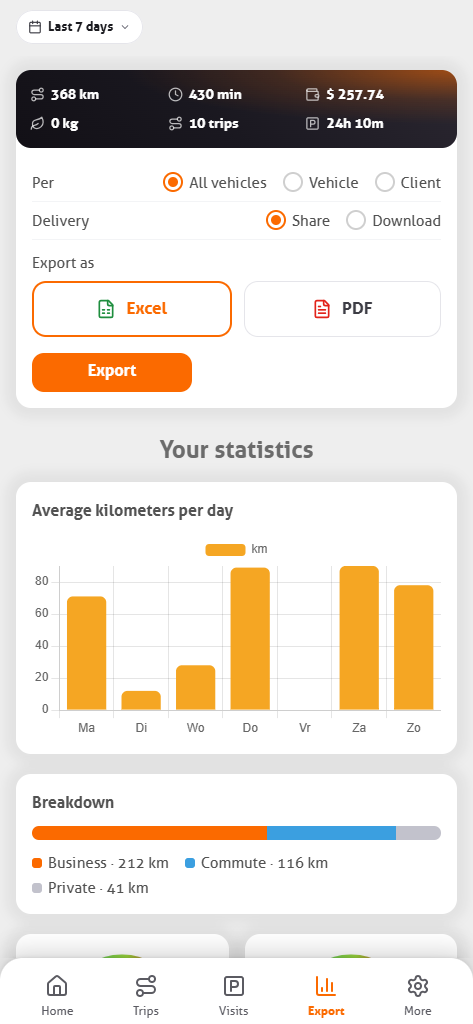
Pick a period, vehicle or client and export to Excel or PDF, for your tax preparer, your employer or an expense report.
- Excel & PDF
- By vehicle
- By client
Business, personal and commute kept separate
Save your home and work address and MoveJack fills in the trip type. Name regular clients and places once, and your trip list shows what’s still to be reimbursed.
One recording, four things that come out of it
You drive once. What it becomes is up to you afterwards.
Mileage log
Date, times, addresses, miles, vehicle and the business purpose — recorded as you drive, not reconstructed in April.
See the mileage log
Working hours
Every stop becomes a visit with arrival, departure and time on site. Your timesheet fills itself while you work.
See working hours
Reports
Pick a period and export: Excel for your CPA, PDF if anyone asks to see it. Per vehicle or per client.
See the reports
Privacy
Your trip history stays on your own phone, with no account and no central copy on our servers.
How that works
See where your time and miles go
MoveJack turns individual trips into an overview of how you get around. Pick a week, a month or your own dates and see where your workday goes.
MoveJack also calculates the CO₂ of your trips, and recognizes bike, train and bus trips as well as car trips.
Time on the road
How many hours you drive and how long you’re parked, side by side. So you can see how much of your workday goes to getting around.
Business, personal and commuting
For any period you see how your miles split between business, commuting and personal. Useful for reimbursement and for keeping an eye on personal miles.
Time with customers
How long you were at an address, and per customer a report with the miles, travel time and time on site. So you can see which customers cost you a lot of travel time.
Miles per period
Your miles per week or month, your busiest day and your longest trip. Switch between periods to see when things get busy.
What 12,000 miles a year is worth
The IRS standard mileage rate for business use is 72.5 cents a mile for 2026 driving through June 30 and 76 cents from July 1. The catch has never been the rate — it is being able to show, trip by trip, which miles were business.
$0.76
Per business mile
The rate from July 1, 2026 (72.5¢ before).
2026
The tax year it applies to
The IRS sets the rate per year and can change it during the year, as it did in 2026, so check the current one before you file.
$8,910
Across a year, as an example
At 1,000 miles in every month of 2026 (6,000 miles at 72.5 cents and 6,000 at 76 cents).
Standard mileage rate, or the actual expense method
Two ways to deduct the business use of your car: multiply your business miles by the standard rate, or add up what the car really cost you and claim the business share. They start in the same place. Both want a log made while you drove — and that is where almost everyone comes up short, because the short trips and the detours are gone by April.
01
Download and drive
No account. After a short setup, recording starts the moment you move.
02
Name your addresses once
Home, office and regular customers. After that MoveJack sets the trip type itself.
03
Export at tax time
The app reminds you on the 1st of every month, and you can see which trips you still have to claim. Read it through, add what is missing, hand it to your CPA. What the report looks like.
Three days free, then whichever term suits you
No account needed to try it. Every term includes every feature — you pay for the length, not for functionality. On iPhone MoveJack costs $6.99 a month, $39.99 every six months or $59.99 a year; on Android $8.99 a month, $49.99 every six months or $79.99 a year. All prices.
Common questions
How much can I deduct per mile?
For 2026 the IRS standard mileage rate for business use is 72.5 cents a mile through June 30 and 76 cents from July 1; within each period every business mile counts the same. As an example, at 1,000 miles in every month of 2026 (6,000 miles at 72.5 cents and 6,000 at 76 cents), that comes to $8,910 for the year. The IRS sets the rate per tax year and can change it during the year, as it did in 2026.
Does the IRS accept an app as a mileage log?
The IRS does not approve or certify software, and we will not pretend otherwise. What it expects is that you can show, for each business trip, the date, the miles driven, where you went and why — written down at or near the time, not rebuilt from memory months later. MoveJack records the date, the miles and where you went as you drive, and you add the why in the note: a row reads August 13, 2026, Plano to Fort Worth, 34.2 miles, client visit. Whether a particular deduction stands is between you and the IRS.
Standard mileage rate or actual expenses?
The standard rate is one number times your business miles. The actual expense method adds up gas, insurance, repairs, registration and depreciation and lets you claim the business share. Which one wins depends on your car and your mileage, and your CPA can tell you in a minute — but both need a log that shows which miles were business, so start there either way.
Does it separate business from personal miles?
Yes, and commuting as a third category. Driving between home and your regular workplace is not deductible, which is precisely why it has to be kept apart. Store your home and work address and MoveJack sets the type itself; you can change any trip with one tap.
I am self-employed on a 1099. Where does this end up?
On Schedule C, where you report the business use of your vehicle. The number you put on the form has to rest on something, and that something is a contemporaneous log — per trip, with the business purpose. MoveJack records the trips as you drive, you add the business purpose, and it exports by period, vehicle or client.
And if my employer reimburses me?
A reimbursement at or below the IRS standard rate is generally tax-free to you, provided the mileage is substantiated. That means the same log: date, miles, destination, purpose. Export it per period and send it with your expense report.
What happens to my data?
Your trips stay with you, on your own phone. MoveJack keeps no central copy of your trip history on its servers. Why that is a technical choice.
Can I export for my CPA?
Yes, as an Excel file or a PDF, by period, by vehicle or by client. Sent straight from the app.
Do I need any hardware?
No. Nothing in the car, no installation, no appointment. Your phone is enough.
Try it for three days on your own trips.
Three days free, no account, nothing installed in the car.