
The mileage log app that also tracks your hours.
Trips logged automatically, hours worked out from your visits. No tracker in the car, no account needed.
See straight away where you’ve been and how long you spent with each client – and decide for yourself what you export or share.


Nearly 20 years of experience — built and developed by the people behind TrackJack
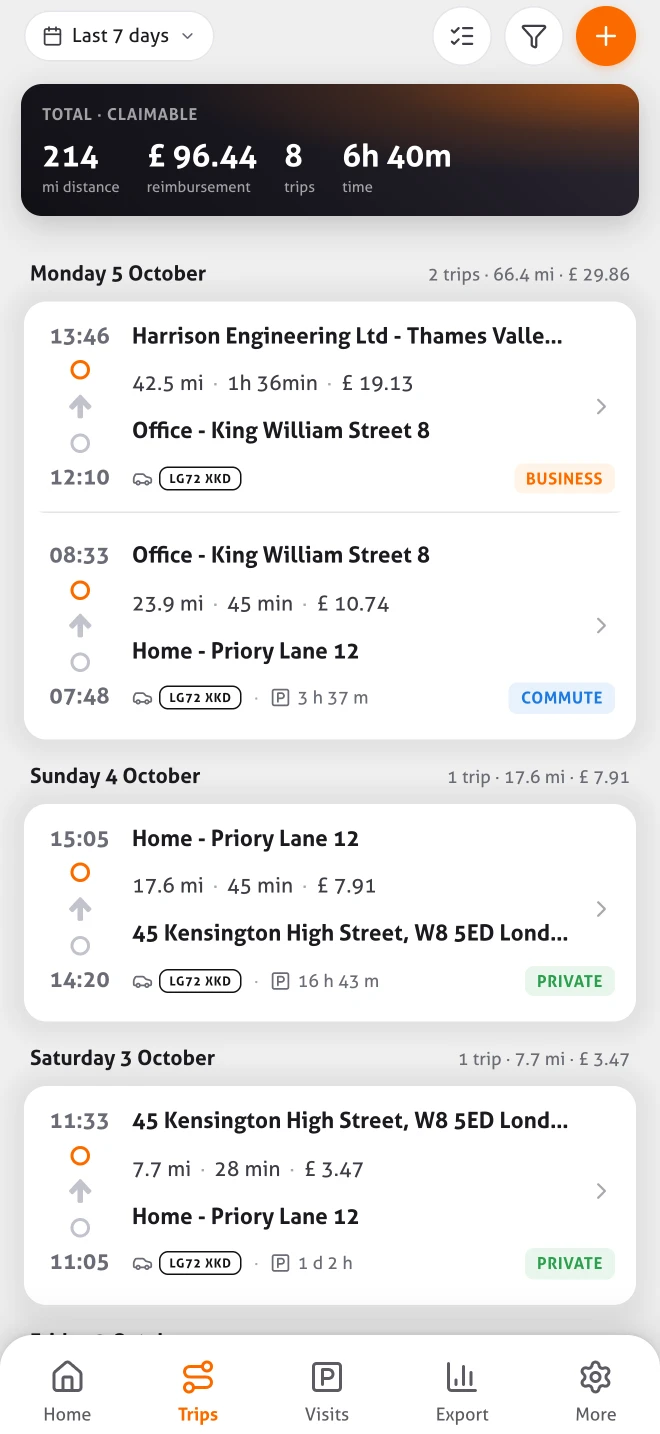
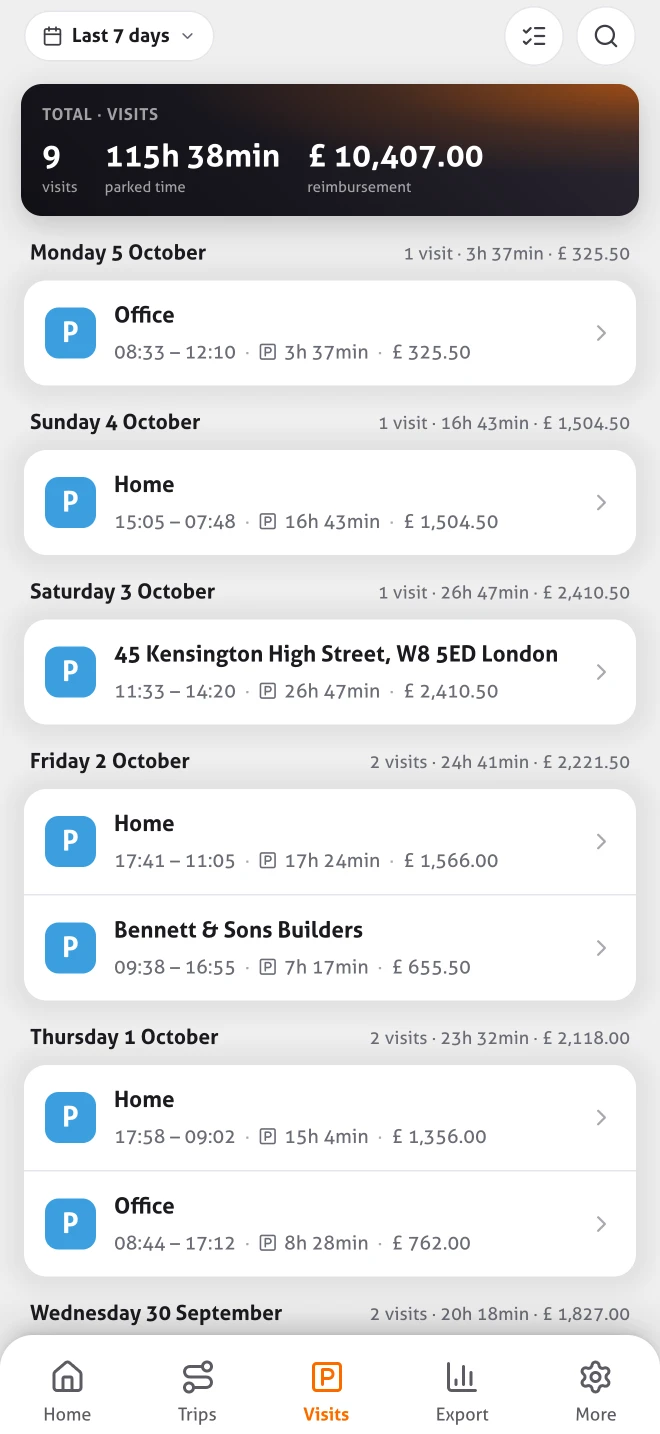
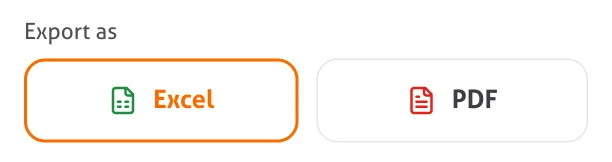
Automatic mileage log
MoveJack records every trip for you, without you lifting a finger.
Hours from your visits
See how long you spent at a location or with a client.
Excel and PDF
Export your trips and hours in a format that suits your bookkeeping.
You decide what you share
You stay in control of which data you export or share.
Your mileage log fills in while you drive. Not afterwards.
Set it up once and MoveJack records the rest. Less typing, less forgetting, no rebuilding journeys at the end of the month.
Journeys without a start button
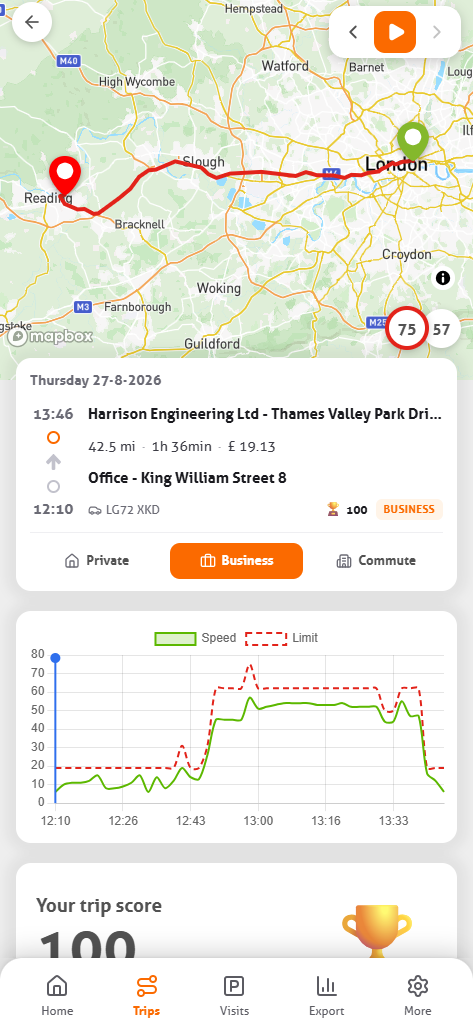
MoveJack notices when you set off and arrive. Time, addresses, miles and vehicle are in there before you think of it. How the mileage tracker works.

Your hours come from your visits
Arrival, departure and how long you were at an address are recorded by the app. Your timesheet fills itself in while you work.
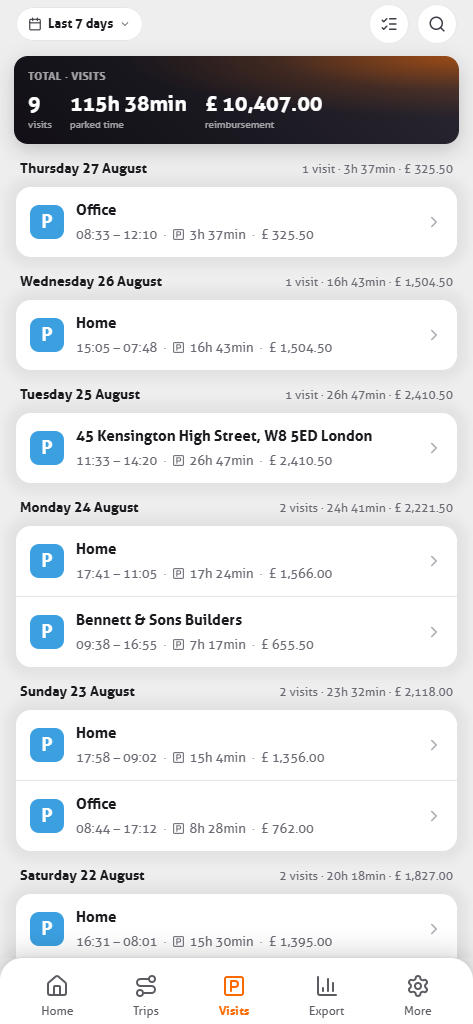
Drive time and miles, per journey
How long you were on the road and how many miles you drove, per journey and per period. Without keeping notes.
A report in a few taps
Pick a period, vehicle or client and export to Excel or PDF, for your accountant, your employer or a mileage claim.
- Excel & PDF
- Per vehicle
- Per client

Business, personal and commuting kept apart
Save your home and work address and MoveJack fills in the journey type itself. Name regular clients and places once, and your journey list shows what is still to claim.
One recording, four things that come out of it
You drive once. What it becomes is up to you afterwards.
Mileage log
Date, times, addresses, miles, vehicle and the route — recorded as you drive, not reconstructed at month end.
See the mileage log
Working hours
Every stop becomes a visit with arrival, departure and time on site. Your timesheet fills itself while you work.
See working hours
Reports
Pick a period and export: Excel for your accountant, PDF if anyone asks to see it. Per vehicle or per client.
See the reports
Privacy
Your journey history stays on your own phone, with no account and no central copy on our servers.
How that works
See where your time and miles go
MoveJack turns individual trips into an overview of how you get around. Pick a week, a month or your own dates and see where your working day goes.
MoveJack also calculates the CO₂ of your trips, and recognises cycling, train and bus journeys as well as car trips.
Time on the road
How many hours you drive and how long you are parked, side by side. So you can see how much of your working day goes on getting around.
Business, private and commuting
For any period you see how your miles split between business, commuting and private. Useful for your claims and for keeping an eye on private mileage.
Time with clients
How long you were at an address, and per client a report with the miles, travel time and time on site. So you can see which clients cost you a lot of travel time.
Miles per period
Your miles per week or month, your busiest day and your longest trip. Switch between periods to see when things get busy.
What 12,000 miles a year is worth
HMRC’s approved rate is 55p for the first 10,000 miles of business travel in a tax year and 25p after that. The catch has never been the rate — it is being able to show which miles were business.
55p
First 10,000 miles
Per business mile in the tax year, for cars and vans.
25p
Every mile after that
The rate drops, so the total is not a straight line.
£6,000
Across a year
At 1,000 miles a month, both rates included.
A spreadsheet at month end, or a record made at the time
Almost nobody fills in a mileage log the same day. It gets reconstructed from a calendar and a vague memory, which is exactly where the short trips and the detours disappear — and they are the ones you were entitled to claim.
01
Download and drive
No account. After a short setup, recording starts the moment you move.
02
Name your addresses once
Home, work and regular clients. After that MoveJack sets the trip type itself.
03
Export at month end
On the 1st of the month the app reminds you, and MoveJack shows which trips you still have to claim. Read it through, add what is missing, send it on. What the report looks like.
Three days free, then whichever term suits you
No account needed to try it. Every term includes every feature — you pay for the length, not for functionality. The current price shows in the App Store.
Common questions
How much can I claim per mile?
HMRC’s Approved Mileage Allowance Payments for cars and vans are 55p for the first 10,000 miles of business travel in the tax year, and 25p after that. At 1,000 miles a month that comes to £6,000 across the year.
Will a phone-based log be accepted?
What matters is that the record is complete, made at the time and not altered afterwards. MoveJack records each trip as it happens, with date, addresses, miles and the route; it keeps no change history, and only trips added by hand are marked in the export. Whether a particular claim is accepted is between you and HMRC — we do not promise otherwise.
Does it separate business from private mileage?
Yes, and commuting as a third category. Store your home and work address and MoveJack sets the type itself; you can change any trip with one tap.
What happens to my data?
Your trips stay with you, on your own phone. MoveJack keeps no central copy of your journey history on its servers. Why that is a technical choice.
Can I export for my accountant?
Yes, as an Excel file or a PDF, by period, by vehicle or by client. Sent straight from the app.
Do I need any hardware?
No. Nothing in the car, no fitting, no appointment. Your phone is enough.
Drive for a week and see what ends up in there by itself.
Three days free, no account, nothing fitted to the car.